Type-Safe Shared Packages in Turborepo Monorepos
Learn how to eliminate type drift between your API and frontend by building a bulletproof shared types package in Turborepo with TypeScript.
Type-Safe Shared Packages in Turborepo Monorepos
Your API returns { status: "processing" } but your frontend expects { status: "in_progress" }. The code compiles. Tests pass. Production breaks.
Type drift between your API and frontend is one of the most insidious bugs in full-stack development. You change an enum value in your backend, forget to update the frontend, and suddenly your production app is handling data it doesn't understand. TypeScript helps, but only if both sides speak the same language.
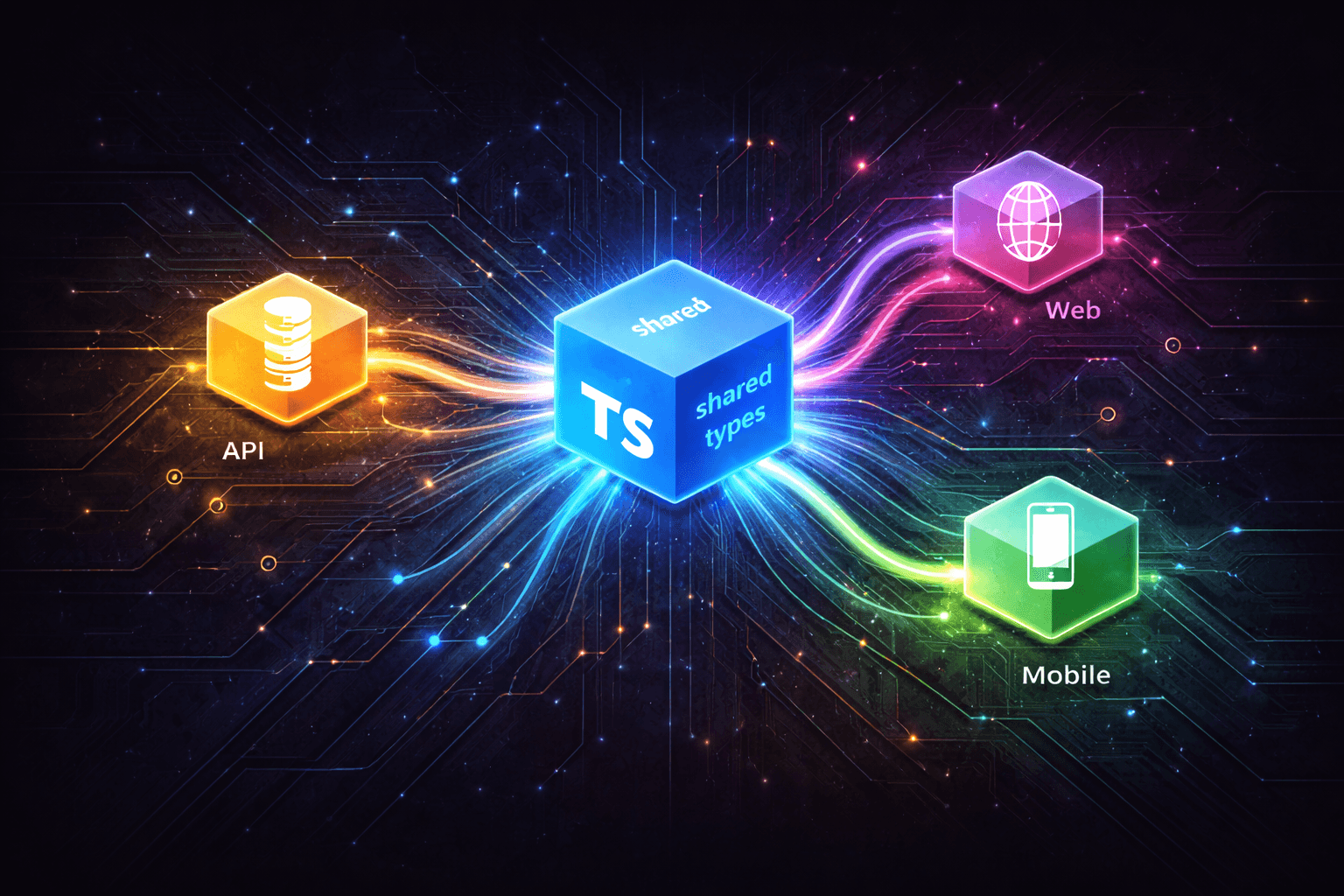
This is where shared type packages in Turborepo monorepos shine. Instead of duplicating types across apps or maintaining fragile synchronization scripts, you create a single source of truth that both your API and frontend consume. When you change a type, TypeScript immediately shows you every place that needs updating—across all apps in your workspace.
In this guide, we'll build a production-grade shared types package in a Turborepo monorepo. You'll learn how to structure domain models, configure ESM modules properly, manage build dependencies, and implement versioning strategies that scale with your team.
The Problem: Type Drift in Full-Stack Applications
Consider a typical e-commerce application with separate API and web apps:
// apps/api/src/types/order.ts
export type OrderStatus = 'pending' | 'processing' | 'shipped' | 'delivered';

export interface Order {
	id: string;
	status: OrderStatus;
	items: OrderItem[];
	total: number;
}
Meanwhile, in your frontend:
// apps/web/src/types/order.ts
export type OrderStatus = 'pending' | 'processing' | 'complete'; // ❌ Different!

export interface Order {
	id: string;
	status: OrderStatus;
	items: OrderItem[];
	totalAmount: number; // ❌ Different property name!
}
Both apps compile without errors. TypeScript is happy. Your linter is quiet. But at runtime, when the API sends status: "delivered", your frontend breaks because it expects "complete". When you try to access order.totalAmount, you get undefined because the API returns total.
This gets worse as your team grows. Multiple developers working on API and frontend features independently, each making their own assumptions about data shapes. Type drift multiplies across entities: orders, users, products, payments, notifications.
The solution? A shared types package that serves as the single source of truth.
Structuring a Shared Types Package
Let's build a robust shared types package that multiple apps can consume. We'll use a realistic e-commerce domain with orders, products, and users.
First, create the package structure:
packages/
└── types/
    ├── package.json
    ├── tsconfig.json
    └── src/
        ├── index.ts
        ├── enums.ts
        ├── order.ts
        ├── product.ts
        └── user.ts
The key principle: organize by domain, not by technical concerns. Each domain gets its own file (order.ts, product.ts), and shared utilities live in dedicated files (enums.ts).
Domain-Driven File Organization
enums.ts - Shared enumerations used across domains:
/**
 * Shared Enums for E-Commerce Platform
 *
 * These enums are used across both API and Web applications.
 * They should match database enum definitions.
 */

// Order-related enums
export type OrderStatus = 'pending' | 'processing' | 'shipped' | 'delivered' | 'cancelled';

export type PaymentStatus = 'unpaid' | 'paid' | 'failed' | 'refunded';

// Product-related enums
export type ProductCategory = 'electronics' | 'clothing' | 'books' | 'home' | 'sports';

export type StockStatus = 'in_stock' | 'low_stock' | 'out_of_stock' | 'discontinued';

// User-related enums
export type UserRole = 'customer' | 'admin' | 'moderator';

export type SubscriptionTier = 'free' | 'premium' | 'enterprise';
order.ts - Order domain models:
import type { OrderStatus, PaymentStatus } from './enums';

/**
 * Order line item
 */
export interface OrderItem {
	productId: string;
	productName: string;
	quantity: number;
	unitPrice: number;
	subtotal: number;
}

/**
 * Shipping address information
 */
export interface ShippingAddress {
	street: string;
	city: string;
	state: string;
	zipCode: string;
	country: string;
}

/**
 * Order entity
 *
 * Represents a customer order in the system.
 * Used by both API (database model) and Web (display).
 */
export interface Order {
	id: string;
	userId: string;
	status: OrderStatus;
	paymentStatus: PaymentStatus;
	items: OrderItem[];
	subtotal: number;
	tax: number;
	shipping: number;
	total: number;
	shippingAddress: ShippingAddress;
	createdAt: string;
	updatedAt: string;
	deliveredAt?: string;
}

/**
 * DTO for creating a new order
 */
export interface CreateOrderDTO {
	userId: string;
	items: Array<{
		productId: string;
		quantity: number;
	}>;
	shippingAddress: ShippingAddress;
}

/**
 * DTO for updating order status
 */
export interface UpdateOrderStatusDTO {
	status: OrderStatus;
	paymentStatus?: PaymentStatus;
}
product.ts - Product domain models:
import type { ProductCategory, StockStatus } from './enums';

/**
 * Product entity
 */
export interface Product {
	id: string;
	name: string;
	description: string;
	category: ProductCategory;
	price: number;
	stockQuantity: number;
	stockStatus: StockStatus;
	imageUrls: string[];
	createdAt: string;
	updatedAt: string;
}

/**
 * DTO for creating a new product
 */
export interface CreateProductDTO {
	name: string;
	description: string;
	category: ProductCategory;
	price: number;
	stockQuantity: number;
	imageUrls?: string[];
}

/**
 * DTO for updating product stock
 */
export interface UpdateProductStockDTO {
	stockQuantity: number;
	stockStatus: StockStatus;
}
user.ts - User domain models:
import type { UserRole, SubscriptionTier } from './enums';

/**
 * User entity
 */
export interface User {
	id: string;
	email: string;
	name: string;
	role: UserRole;
	subscriptionTier: SubscriptionTier;
	createdAt: string;
	updatedAt: string;
}

/**
 * DTO for user registration
 */
export interface RegisterUserDTO {
	email: string;
	password: string;
	name: string;
}

/**
 * DTO for user profile updates
 */
export interface UpdateUserProfileDTO {
	name?: string;
	email?: string;
}
index.ts - Central export point:
// Main index for shared types
// Re-export all domain models

export * from './enums';
export * from './order';
export * from './product';
export * from './user';
This organization gives you:
- Clear domain boundaries: Each entity lives in its own file
- Easy navigation: Developers know exactly where to find order types
- Granular imports: Apps can import specific domains or everything
- Scalability: Adding new domains doesn't clutter existing files
ESM Module Setup with TypeScript Configuration
Modern JavaScript uses ECMAScript Modules (ESM), and your shared package should too. Here's the production-ready configuration.
package.json Configuration
{
	"name": "@company/types",
	"version": "0.0.0",
	"private": true,
	"type": "module",
	"exports": {
		".": "./src/index.ts",
		"./order": "./src/order.ts",
		"./product": "./src/product.ts",
		"./user": "./src/user.ts",
		"./enums": "./src/enums.ts"
	},
	"scripts": {
		"build": "tsc",
		"lint": "eslint . --max-warnings 0",
		"check-types": "tsc --noEmit"
	},
	"devDependencies": {
		"@repo/eslint-config": "workspace:*",
		"@repo/typescript-config": "workspace:*",
		"@types/node": "^22.0.0",
		"eslint": "^9.0.0",
		"typescript": "^5.8.0"
	},
	"dependencies": {
		"zod": "^3.24.0"
	}
}
Key points:
"type": "module" - Enables ESM mode for Node.js. Critical for modern TypeScript projects.
exports field - Defines public API surface with path mappings:
"."→ Main entry point (import { Order } from "@company/types")"./order"→ Domain-specific import (import { Order } from "@company/types/order")
This gives consuming apps flexibility:
// Option 1: Import from main entry point
import { Order, Product, User } from '@company/types';

// Option 2: Import specific domains
import { Order, CreateOrderDTO } from '@company/types/order';
import { Product } from '@company/types/product';
workspace:* dependencies - Uses pnpm workspace protocol to reference local packages. Turborepo automatically resolves these to the correct versions.
zod as a dependency - If you're using runtime validation (highly recommended), include Zod. Consuming apps inherit this dependency automatically.
TypeScript Configuration
Create tsconfig.json extending your shared TypeScript config:
{
	"extends": "@repo/typescript-config/base.json",
	"compilerOptions": {
		"outDir": "dist",
		"rootDir": "src"
	},
	"include": ["src"],
	"exclude": ["node_modules", "dist"]
}
The base configuration (@repo/typescript-config/base.json) should contain modern ESM settings:
{
	"$schema": "https://json.schemastore.org/tsconfig",
	"compilerOptions": {
		"declaration": true,
		"declarationMap": true,
		"esModuleInterop": true,
		"incremental": false,
		"isolatedModules": true,
		"lib": ["ES2022"],
		"module": "NodeNext",
		"moduleDetection": "force",
		"moduleResolution": "NodeNext",
		"noUncheckedIndexedAccess": true,
		"resolveJsonModule": true,
		"skipLibCheck": true,
		"strict": true,
		"target": "ES2022"
	}
}
Critical settings:
"module": "NodeNext"- UsesNode.js's native ESM resolution"moduleResolution": "NodeNext"- Matches modernNode.jsbehavior"declaration": true- Generates.d.tsfiles for consuming apps"strict": true- Enables all strict type checking (non-negotiable)"noUncheckedIndexedAccess": true- Prevents array index bugs
According to TypeScript's project references documentation, this configuration enables fast incremental builds and proper cross-package type checking.
Workspace Dependencies in Turborepo
With your types package configured, consuming apps need to declare it as a dependency.
pnpm Workspace Configuration
Create pnpm-workspace.yaml at your monorepo root:
packages:
    - 'apps/*'
    - 'packages/*'
This tells pnpm to treat all directories under apps/ and packages/ as workspace members. According to pnpm workspaces documentation, this enables efficient local package linking and dependency management.
Consuming in API Application
In apps/api/package.json:
{
	"name": "api",
	"version": "0.1.0",
	"type": "module",
	"private": true,
	"dependencies": {
		"@company/types": "workspace:*",
		"express": "^4.18.0",
		"drizzle-orm": "^0.44.0"
	},
	"devDependencies": {
		"@repo/typescript-config": "workspace:*",
		"typescript": "^5.8.0"
	}
}
Now use the shared types in your API:
// apps/api/src/routes/orders.ts
import { Router } from 'express';
import type { CreateOrderDTO, Order } from '@company/types/order';

const router = Router();

router.post('/orders', async (req, res) => {
	const dto: CreateOrderDTO = req.body;

	// Validate DTO shape matches exactly
	// TypeScript ensures this at compile time
	const order: Order = await createOrder(dto);

	res.json(order);
});

export default router;
Consuming in Web Application
In apps/web/package.json:
{
	"name": "web",
	"version": "0.1.0",
	"private": true,
	"dependencies": {
		"@company/types": "workspace:*",
		"next": "^15.0.0",
		"react": "^19.0.0"
	},
	"devDependencies": {
		"@repo/typescript-config": "workspace:*",
		"typescript": "^5.8.0"
	}
}
Use in React components:
// apps/web/src/components/OrderList.tsx
import type { Order } from '@company/types/order';

interface OrderListProps {
	orders: Order[];
}

export function OrderList({ orders }: OrderListProps) {
	return (
		<div>
			{orders.map((order) => (
				<div key={order.id}>
					<h3>Order #{order.id}</h3>
					<p>Status: {order.status}</p>
					<p>Total: ${order.total.toFixed(2)}</p>
				</div>
			))}
		</div>
	);
}
TypeScript now ensures complete type safety across the stack. If you change Order.total to Order.totalAmount in the types package, both the API and web app will show type errors until you update them.
Build Order and Caching for Type Packages
Turborepo's killer feature is its intelligent task scheduling and caching. But you need to configure it correctly for type packages.
Turborepo Configuration
Create turbo.json at your monorepo root:
{
	"$schema": "https://turborepo.com/schema.json",
	"ui": "tui",
	"tasks": {
		"build": {
			"dependsOn": ["^build"],
			"inputs": ["$TURBO_DEFAULT$", ".env*"],
			"outputs": [".next/**", "!.next/cache/**", "dist/**"]
		},
		"lint": {
			"dependsOn": ["^lint"]
		},
		"check-types": {
			"dependsOn": ["^check-types"]
		},
		"dev": {
			"cache": false,
			"persistent": true
		}
	}
}
Key configuration explained:
"dependsOn": ["^build"] - The ^ symbol means "run this task in dependencies first". When you run turbo build in your web app, Turborepo automatically builds the types package first. This ensures type definitions are always available.
According to Turborepo's dependency management docs, this creates a proper dependency graph:
apps/web:build → depends on → packages/types:build
apps/api:build → depends on → packages/types:build
"outputs": ["dist/**"] - Turborepo caches the dist/ directory. When nothing changes in the types package, subsequent builds reuse cached outputs instead of recompiling.
cache: false for dev - Development watchers shouldn't be cached. Each app needs its own active dev server.
Build Performance
With this configuration, Turborepo provides massive speedups:
# First build - compiles everything
pnpm build
# ✓ packages/types:build (2.1s)
# ✓ apps/api:build (5.3s)
# ✓ apps/web:build (12.7s)

# Second build - types unchanged, cache hit
pnpm build
# ✓ packages/types:build (CACHED)
# ✓ apps/api:build (CACHED)
# ✓ apps/web:build (CACHED)

# Types changed, downstream apps rebuild
# (edit packages/types/src/order.ts)
pnpm build
# ✓ packages/types:build (2.2s)
# ✓ apps/api:build (5.1s) ← rebuilds because dependency changed
# ✓ apps/web:build (12.9s) ← rebuilds because dependency changed
Turborepo's content-aware hashing detects exactly what changed. If you only modify apps/web/src/components/Header.tsx, only the web app rebuilds—the types package and API stay cached.
Development Workflow
During development, you don't need to rebuild manually. TypeScript's project references handle this automatically:
# Terminal 1: Start type checking (optional)
cd packages/types
pnpm check-types --watch

# Terminal 2: Start API dev server
cd apps/api
pnpm dev

# Terminal 3: Start web dev server
cd apps/web
pnpm dev
Or use Turborepo's parallel execution:
# Start all dev servers at once
pnpm dev

# Turborepo runs:
# - packages/types:dev (if defined)
# - apps/api:dev
# - apps/web:dev
When you edit a type in packages/types/src/order.ts, both dev servers automatically detect the change and re-typecheck. No manual rebuilds needed.
Advanced Patterns: Runtime Validation
TypeScript provides compile-time safety, but what about runtime? API requests come from external clients that might send invalid data. Combining TypeScript types with Zod schemas gives you both compile-time and runtime guarantees.
Shared Zod Schemas
Add runtime validation to your types package:
// packages/types/src/order.ts
import { z } from 'zod';
import type { OrderStatus, PaymentStatus } from './enums';

// TypeScript type (compile-time)
export interface Order {
	id: string;
	userId: string;
	status: OrderStatus;
	paymentStatus: PaymentStatus;
	items: OrderItem[];
	total: number;
	createdAt: string;
	updatedAt: string;
}

// Zod schema (runtime)
export const OrderSchema = z.object({
	id: z.string().uuid(),
	userId: z.string().uuid(),
	status: z.enum(['pending', 'processing', 'shipped', 'delivered', 'cancelled']),
	paymentStatus: z.enum(['unpaid', 'paid', 'failed', 'refunded']),
	items: z.array(OrderItemSchema),
	total: z.number().positive(),
	createdAt: z.string().datetime(),
	updatedAt: z.string().datetime(),
});

// DTO schema for creation
export const CreateOrderDTOSchema = z.object({
	userId: z.string().uuid(),
	items: z.array(
		z.object({
			productId: z.string().uuid(),
			quantity: z.number().int().positive(),
		}),
	),
	shippingAddress: ShippingAddressSchema,
});
Now validate in your API:
// apps/api/src/routes/orders.ts
import { CreateOrderDTOSchema } from '@company/types/order';

router.post('/orders', async (req, res) => {
	// Runtime validation
	const result = CreateOrderDTOSchema.safeParse(req.body);

	if (!result.success) {
		return res.status(400).json({
			error: 'Invalid request',
			details: result.error.issues,
		});
	}

	// result.data is now typed as CreateOrderDTO AND validated
	const order = await createOrder(result.data);
	res.json(order);
});
This pattern ensures:
- Compile-time safety:
TypeScriptcatches type errors during development - Runtime safety:
Zodvalidates actual data at runtime - Single source of truth: Schema lives in shared package
- Automatic type inference:
ZodinfersTypeScripttypes from schemas
You can even derive TypeScript types from Zod schemas:
export const OrderSchema = z.object({
	id: z.string().uuid(),
	status: z.enum(['pending', 'processing', 'shipped', 'delivered', 'cancelled']),
	total: z.number().positive(),
	// ... other fields
});

// Infer TypeScript type from Zod schema
export type Order = z.infer<typeof OrderSchema>;
Now you maintain schemas only, and types are automatically derived.
Cross-Language Type Sharing with OpenAPI
TypeScript types work great within the JavaScript ecosystem, but what about mobile apps in Swift or Kotlin, backend services in Go or Python, or third-party integrations? OpenAPI specifications provide a language-agnostic contract that generates types for any platform.
From Shared Types to OpenAPI Spec
Your shared Zod schemas can generate OpenAPI specifications using frameworks like Chanfana with Hono. For a complete guide on automatic OpenAPI generation, see our article on Automatic OpenAPI Documentation with Chanfana and Hono.
The workflow:
- Define schemas in your types package using
Zod - Import schemas in your API and use them with
Chanfanafor automatic OpenAPI generation - Export the OpenAPI spec as JSON from your running API
- Generate client types for any language using the spec
// packages/types/src/order.ts - shared Zod schemas
export const CreateOrderDTOSchema = z.object({
	userId: z.string().uuid(),
	items: z.array(z.object({
		productId: z.string().uuid(),
		quantity: z.number().int().positive(),
	})),
	shippingAddress: ShippingAddressSchema,
});

// apps/api/src/routes/orders.ts - Chanfana route using shared schema
import { CreateOrderDTOSchema } from '@company/types/order';

export class CreateOrderRoute extends OpenAPIRoute {
	schema = {
		request: {
			body: { content: { 'application/json': { schema: CreateOrderDTOSchema } } },
		},
		// ... responses
	};
}
Generating Types for Other Languages
Once your API serves an OpenAPI spec, generate types for any ecosystem:
# Swift for iOS
npx @openapitools/openapi-generator-cli generate \
  -i http://localhost:8787/openapi.json -g swift5 -o ./ios/Generated

# Kotlin for Android
npx @openapitools/openapi-generator-cli generate \
  -i http://localhost:8787/openapi.json -g kotlin -o ./android/Generated

# Python for ML services
npx @openapitools/openapi-generator-cli generate \
  -i http://localhost:8787/openapi.json -g python -o ./ml-service/generated

# Go for microservices
npx @openapitools/openapi-generator-cli generate \
  -i http://localhost:8787/openapi.json -g go -o ./go-service/generated
This creates a complete type-safety chain:
Zodschemas in@company/types→ single source of truthTypeScriptapps consume schemas directly via workspace dependencyChanfanagenerates OpenAPI spec from the same schemas- Other platforms generate their native types from the OpenAPI spec
When you update a Zod schema, regenerate the OpenAPI spec and downstream types. The entire stack stays synchronized from a single definition.
Versioning Strategies for Internal Packages
Unlike public npm packages, internal workspace packages follow different versioning patterns. Here are three proven strategies:
1. Fixed Versioning (Recommended for Most Teams)
Keep all packages at 0.0.0 with "private": true:
{
	"name": "@company/types",
	"version": "0.0.0",
	"private": true
}
Apps reference with "workspace:*":
{
	"dependencies": {
		"@company/types": "workspace:*"
	}
}
Pros:
- Simple: No version bumps needed
- Fast: No publishing overhead
- Flexible: Breaking changes don't require coordination
Cons:
- No version history
- Can't pin to specific versions
- Breaking changes affect all consumers immediately
Use when: Your team works in a monorepo exclusively and deploys all apps together.
2. Semantic Versioning
Maintain proper semantic versions:
{
	"name": "@company/types",
	"version": "1.2.3",
	"private": true
}
Apps pin to specific ranges:
{
	"dependencies": {
		"@company/types": "workspace:^1.2.0"
	}
}
Pros:
- Clear change history
- Apps can opt into updates
- Compatible with
Changesetsfor automated versioning
Cons:
- Requires version bumps and changelogs
- More coordination needed
- Can lead to multiple versions in use
Use when: Multiple teams own different apps and need controlled update rollouts.
3. Hybrid: Lock File Versioning
Use 0.0.0 versions but leverage pnpm's lock file to track actual dependency trees. Apps always use latest, but pnpm-lock.yaml records the exact state.
{
	"name": "@company/types",
	"version": "0.0.0",
	"private": true
}
Apps use workspace protocol:
{
	"dependencies": {
		"@company/types": "workspace:*"
	}
}
Pros:
- Simple like fixed versioning
- Reproducible builds via lock file
- Easy rollbacks via git
Cons:
- Less explicit than semver
- Relies on
githistory for change tracking
Use when: You want simplicity but need reproducible builds and easy rollbacks.
Recommended Approach for Growing Teams
Start with fixed versioning (0.0.0 + workspace:*). As your team grows and apps become independently deployed, migrate to semantic versioning with automated tools like Changesets.
Changesets automate:
- Version bumps based on change descriptions
- Changelog generation
- Cross-package version coordination
Example workflow:
# Developer makes a breaking change to types
pnpm changeset add
# Select: @company/types - major (breaking change)
# Write: "Changed Order.total to Order.totalAmount"

# On merge, CI runs:
pnpm changeset version  # Bumps version to 2.0.0
pnpm changeset publish  # Updates consuming apps
Key Takeaways
- Shared type packages eliminate type drift between API and frontend by enforcing a single source of truth
- Domain-driven organization (
order.ts,product.ts) scales better than technical organization (interfaces.ts,types.ts) - ESM configuration with
"type": "module"and"module": "NodeNext"enables modern JavaScript workflows Turborepo's^builddependency notation ensures type packages build before consuming apps, with intelligent cachingpnpmworkspace protocol ("workspace:*") links local packages efficiently without publishing- Combining
TypeScripttypes withZodschemas provides both compile-time and runtime type safety - Fixed versioning (
0.0.0) works well for teams deploying together; semantic versioning suits independent deployments
Building a robust shared types package is one of the highest-leverage investments you can make in a monorepo. It eliminates entire classes of bugs, improves developer experience with better autocomplete and refactoring, and enforces consistency across your entire stack.
Start with the patterns in this guide, measure the reduction in type-related bugs, and iterate. Your future self—and your teammates—will thank you.
Want to dive deeper into monorepo architecture? Check out our guide on optimizing Turborepo build performance or subscribe to our newsletter for weekly full-stack development tips.